SITE by EYASTRA

Site audits from the walk.

Walk the site with the camera. Organise the audit afterwards. Issue a report the trades can act on, then come back to what is still outstanding.

£29.99 one-time purchasePurchases open soon
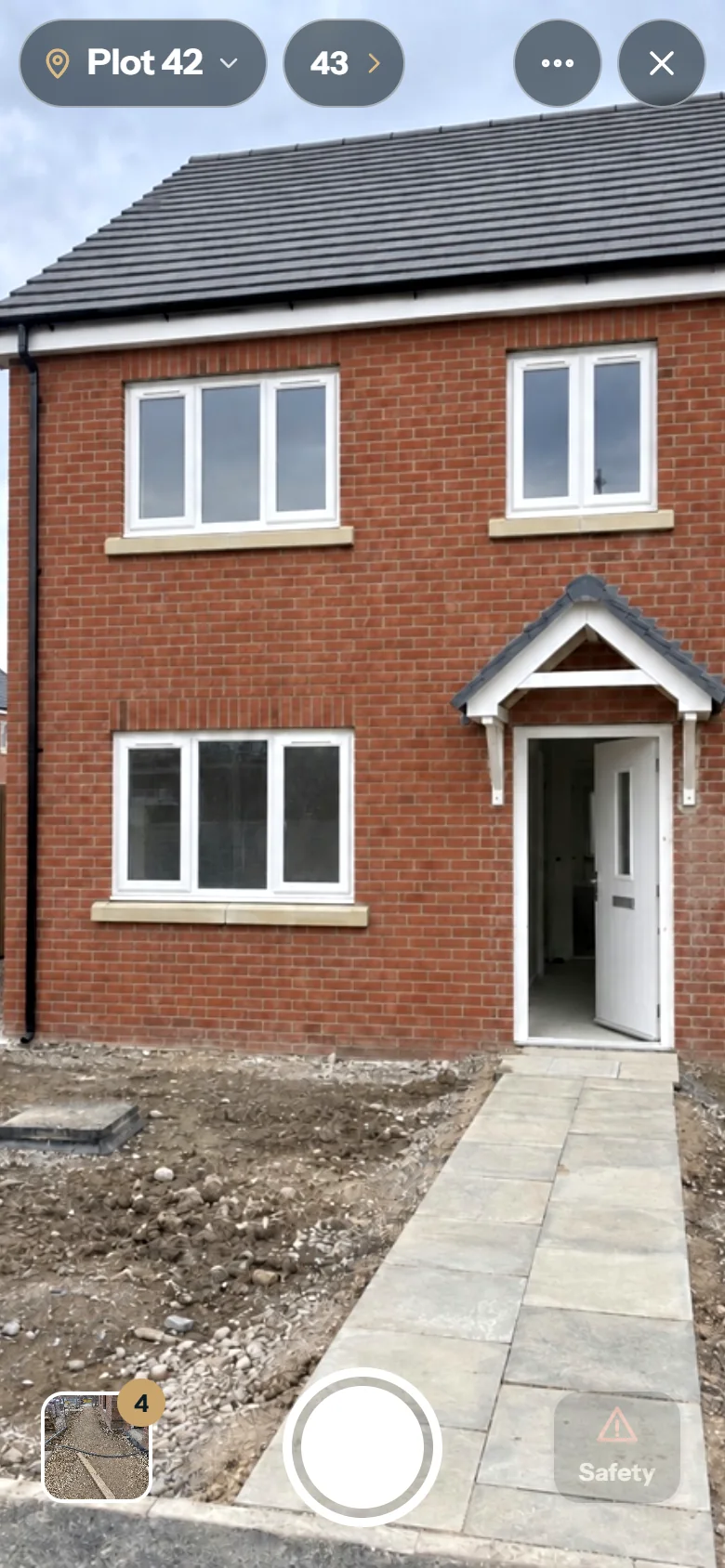
SITE camera: Plot 42 set at the top, the next plot one tap away, shutter and Safety at the bottom
01 Capture The camera asks nothing. Set the place once; every shot is kept for review. Grouping, trade and wording come afterwards, in the audit.

02 Audit

Organise the walk afterwards.

Photos become items. SITE counts what is still missing — an item that needs a trade, items without a photo, anything flagged for safety — so the gaps are visible before anything is sent.

SITE audit, Morning walk 21 September, not shared yet: ten items grouped by plot, with 1 needs a trade, 2 have no photo and 1 safety counted at the top; #001 to #007 visible, most with a photograph
The audit: ten items from one morning walk, grouped by place. Eight have a photograph; the two without are counted.
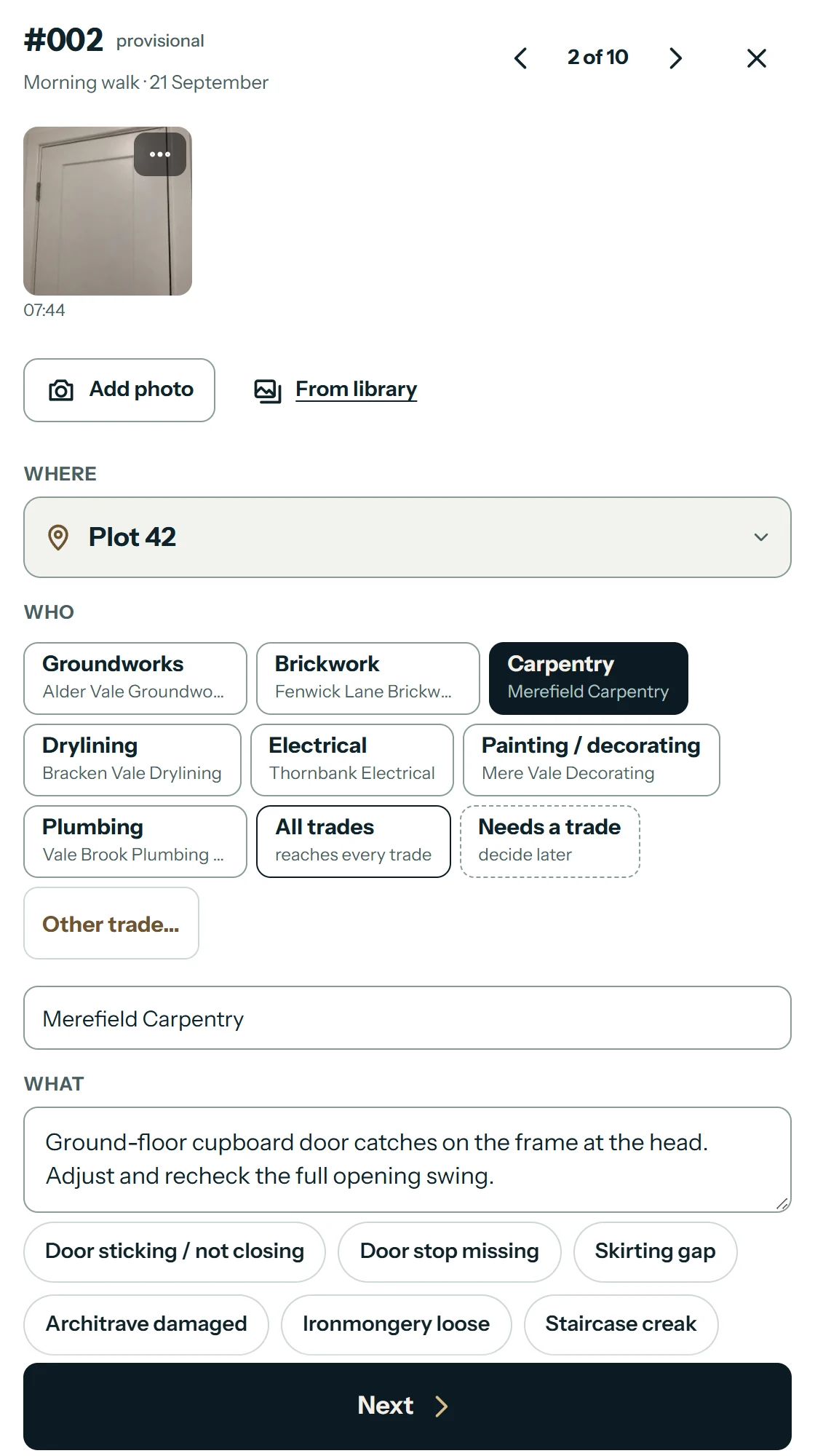
SITE item #002, provisional, 2 of 10: photograph taken at 07:44, Where Plot 42, Who Carpentry, Merefield Carpentry, and the instruction to adjust the cupboard door and recheck its swing

Where, who, what.

Every item carries the place, the trade and the firm asked to act, and a plain instruction. Common wording is one tap away; anything can be written in full.

Where
Plot 42
Who
Carpentry · Merefield Carpentry
What
Ground-floor cupboard door catches on the frame at the head. Adjust and recheck the full opening swing.

Unsure who should do it? Mark it Needs a trade and decide later. Safety is flagged separately from priority.

03 Issue

The report is what the team receives.

Share the whole audit or just what one trade needs. Before anything goes, SITE shows what you are sending and what is still missing. Item numbers are fixed once it is shared, the report names its scope on the first page, and SITE keeps a record of what was issued.
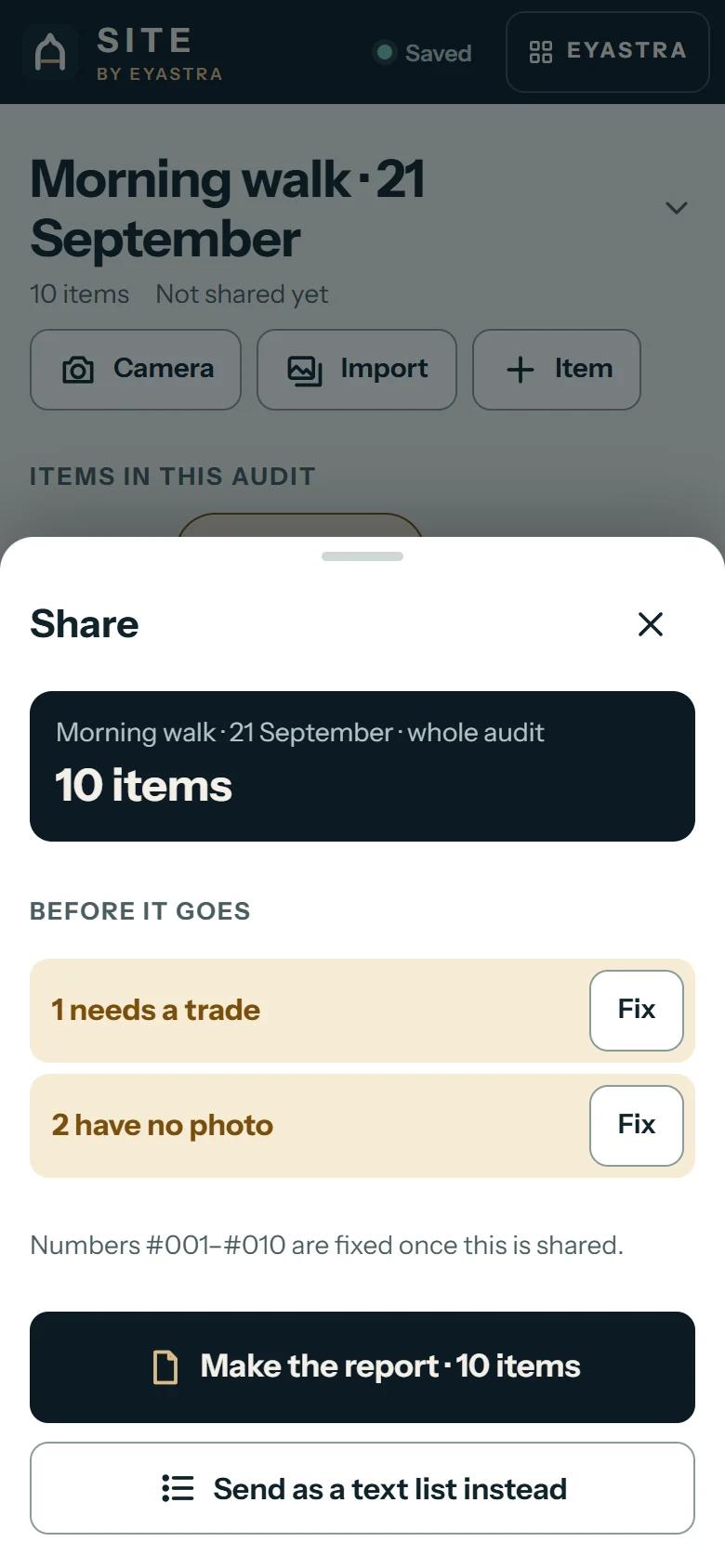
SITE Share sheet before issuing: Morning walk, 21 September, whole audit, 10 items. Before it goes: 1 needs a trade, 2 have no photo, each with Fix. Numbers #001 to #010 are fixed once this is shared. Make the report, 10 items
Before it goes: the whole audit, ten items, and what is still missing.
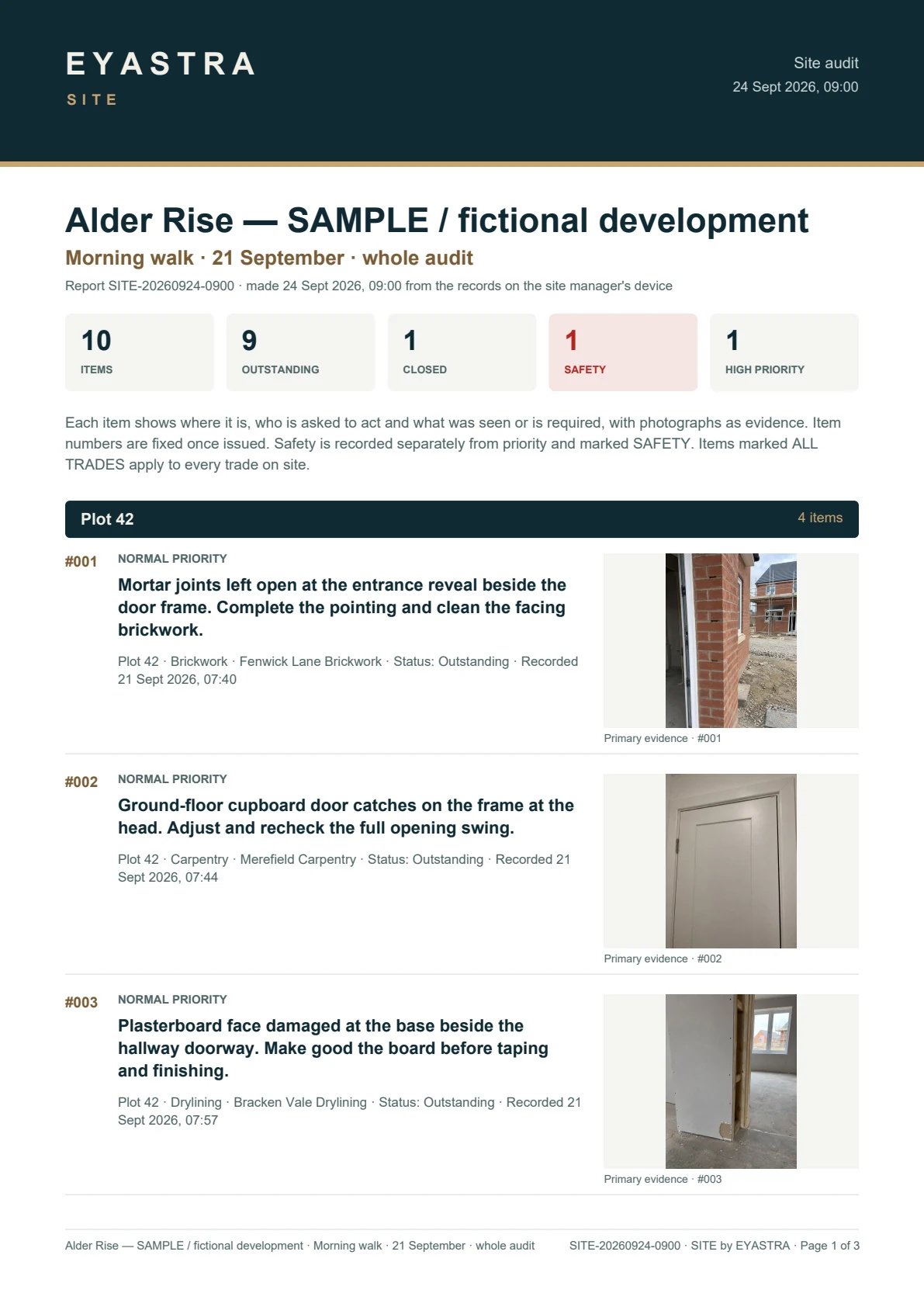
SITE report page 1 of 3: Alder Rise, Morning walk 21 September, whole audit; 10 items, 9 outstanding, 1 closed, 1 safety, 1 high priority; #001, #002 and #003 at Plot 42, each with a photograph
Page 1 · scope, summary and Plot 42
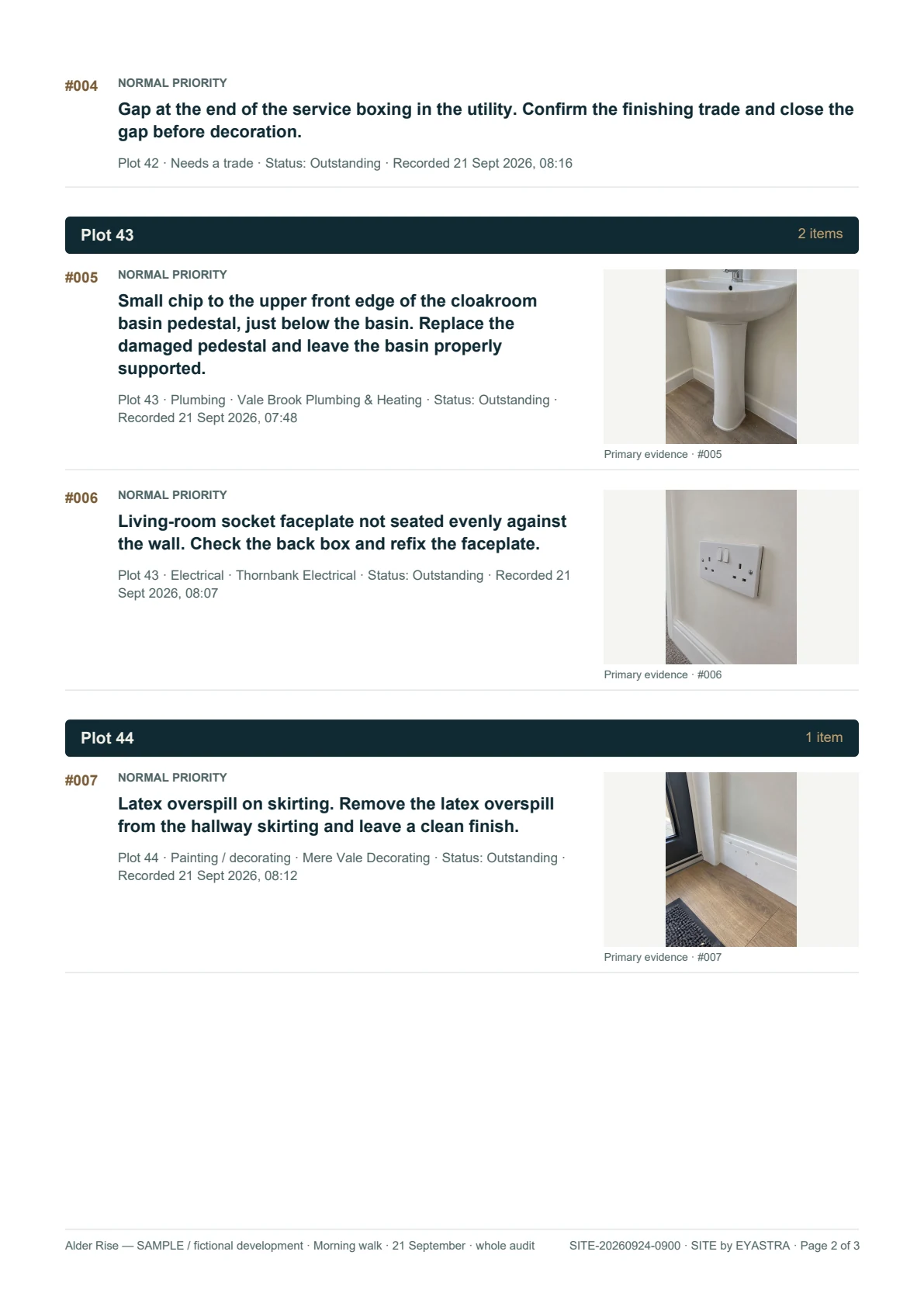
SITE report page 2 of 3: #004 at Plot 42 without a photograph and needing a trade; #005 chipped basin pedestal and #006 socket faceplate at Plot 43; #007 Latex overspill on skirting at Plot 44, photographed
Page 2 · Plots 42–44
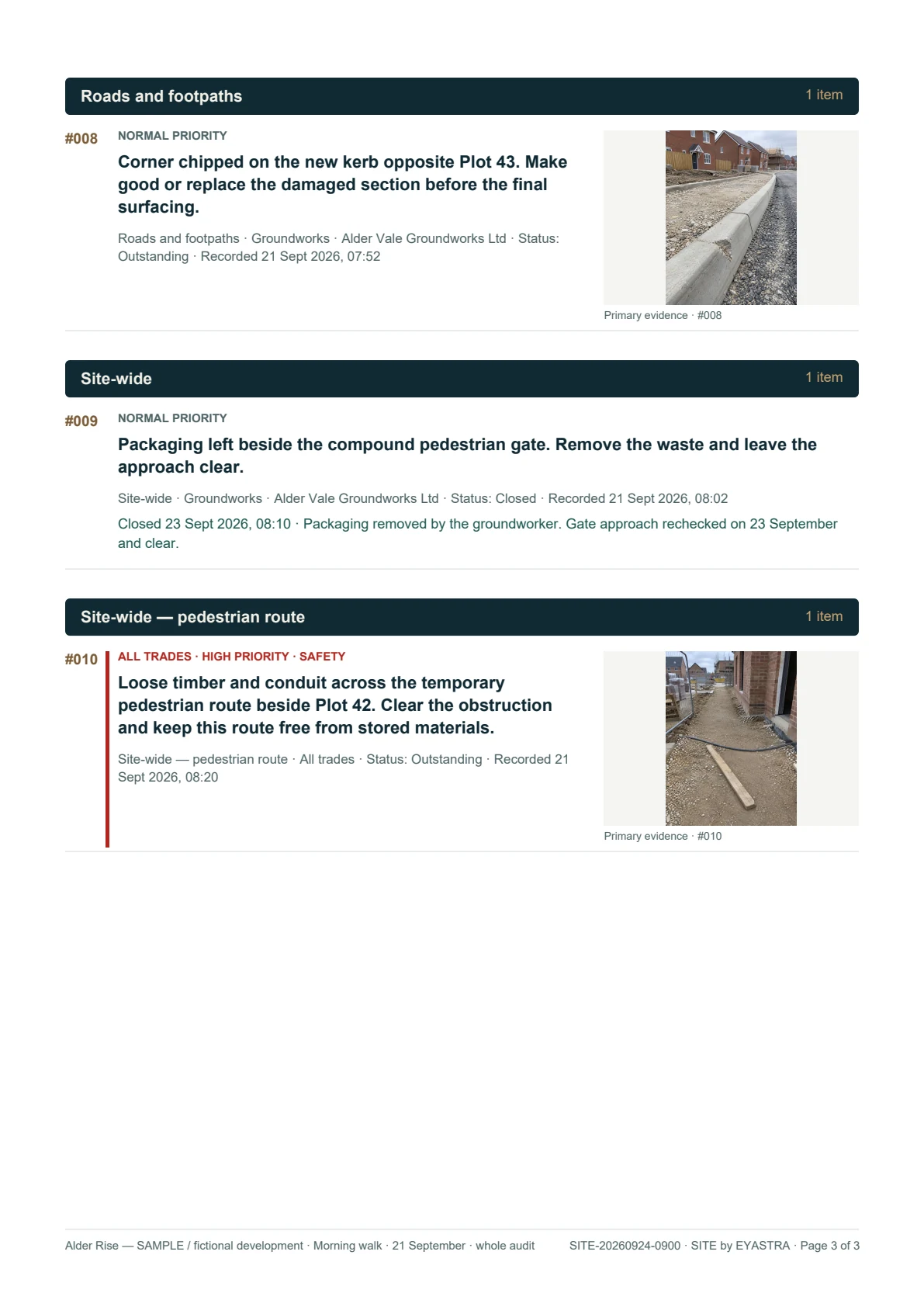
SITE report page 3 of 3: #008 chipped kerb; #009 closed 23 September, without a photograph; #010 pedestrian route obstruction, Safety, High priority and All trades
Page 3 · roads, closure and safety

Sample report for Alder Rise, a fictional development: ten items recorded 07:40–08:20, eight with a photograph. Download the three-page PDF.

04 Return

Come back and check it is done.

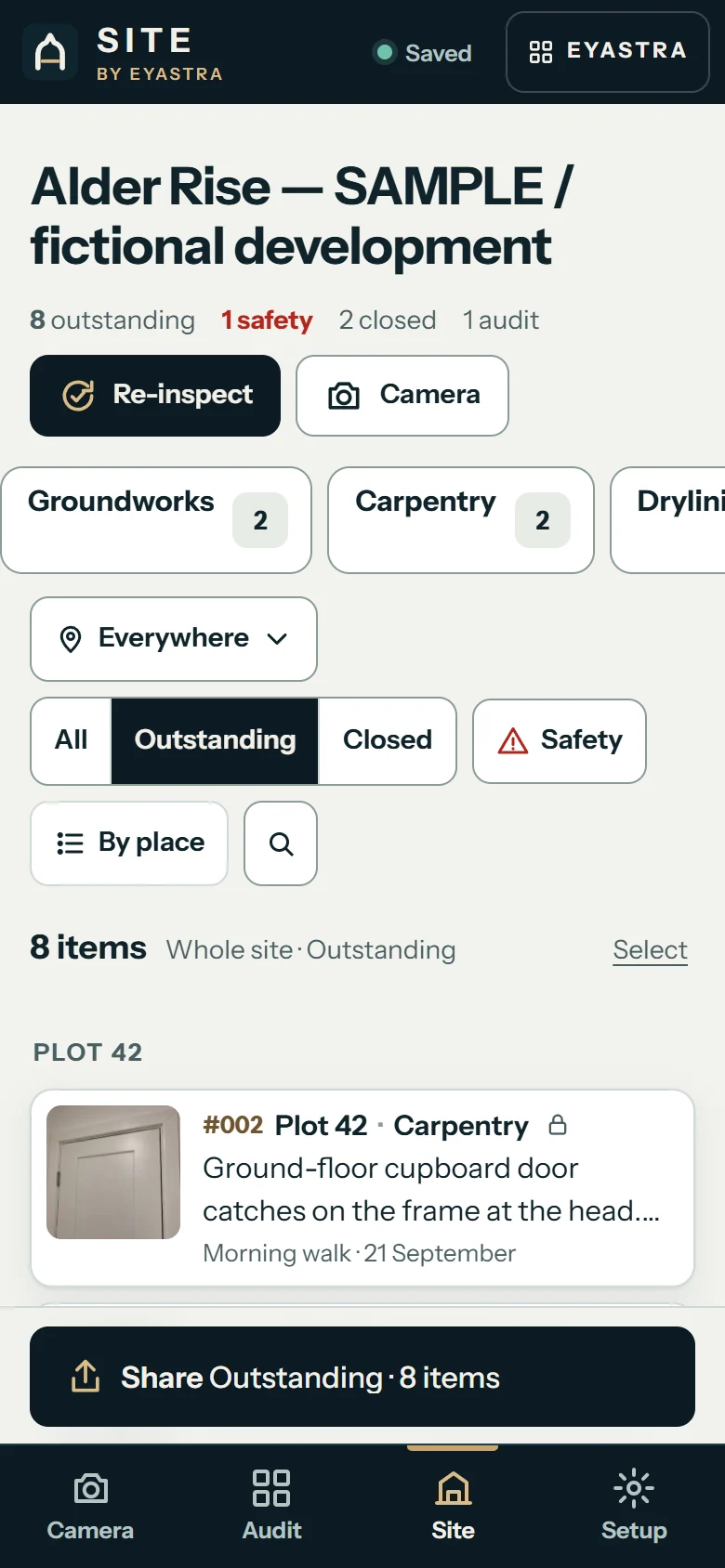
The report is not the end of it. Go back place by place and mark each item closed or still open, with a photo where it helps. The Site view keeps what is outstanding in front of you, one tap from each trade. Closures are dated and appear in later reports.
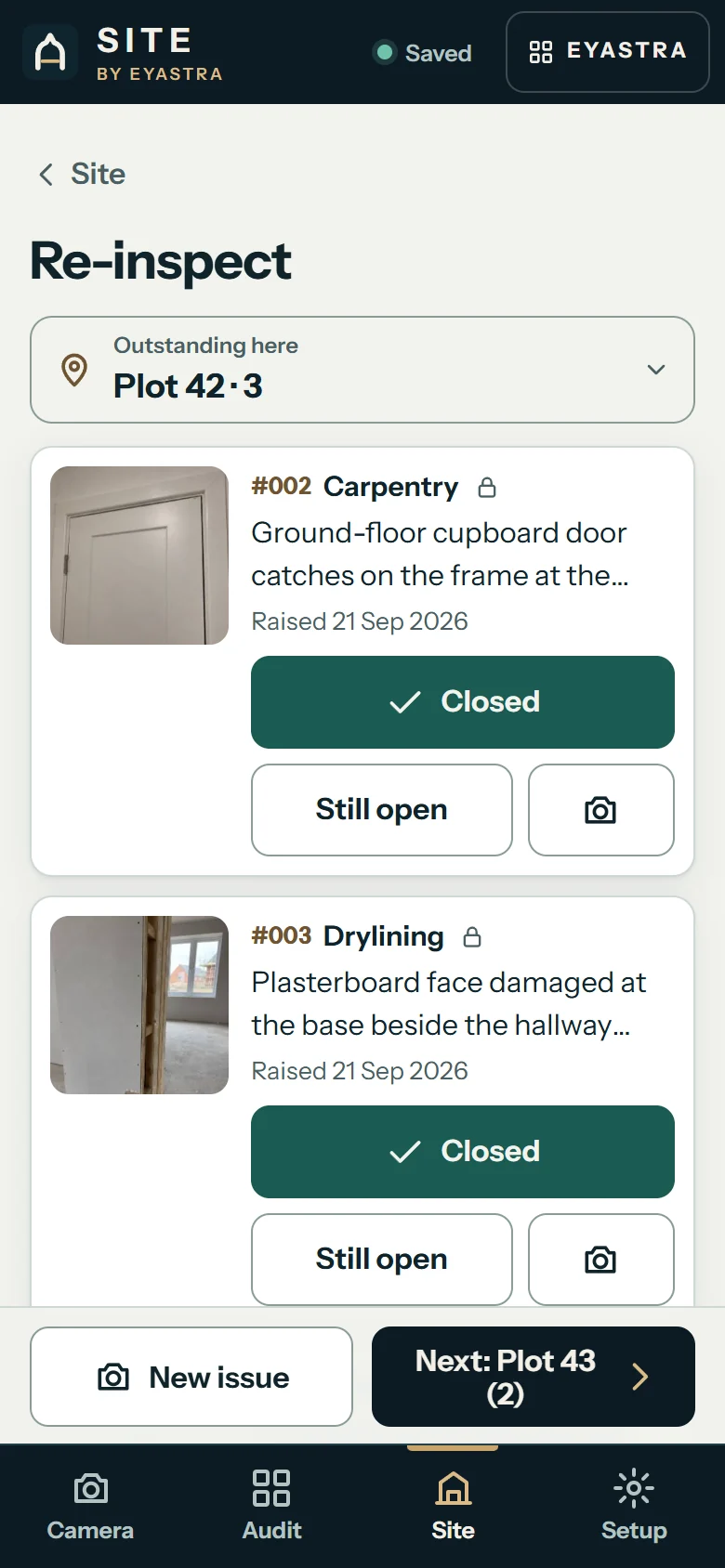
SITE Re-inspect at Plot 42, 3 outstanding here: #001 Brickwork, mortar joints at the entrance reveal, marked CLOSED, raised 21 Sep 2026, last checked 24 Sep 2026, with Undo
Back at Plot 42 after the report: #001 marked closed; three items here still to check.
SITE Site view for Alder Rise: 8 outstanding, 1 safety, 2 closed, 1 audit; Re-inspect and Camera buttons; trade buttons Groundworks 2 and Carpentry 2; Outstanding selected; 8 items, whole site
The Site view afterwards: eight outstanding, two closed, one tap from each trade.

£29.99, once.

  • No lengthy set-up. No account and no admin console. Name the site and the camera opens.
  • Capture first. The camera asks nothing. Organise afterwards.
  • Works without signal. Install it and open it once while connected.
  • Local-first. The audit and photographs stay on your device. Nothing syncs to a cloud or between devices; backups are yours to move.
  • The issued report is what others receive. They do not need SITE to read it.

Purchases open soon

Open SITE

Purchases are not open yet. Licence terms for firms, multiple site managers and devices will be published before they are.

Licence and devices · Install first · Back up and restore

Sample report

Sample report · fictional data